Know a link is safe
before you click it.
ClickShield checks the link under your cursor against three independent threat databases the moment you hover it, and can stop an unsafe click before it ever opens.
How it works
From hover to verdict in under a second
No setup beyond installing it. Every check runs quietly in the background as you browse.
Hover a link
ClickShield watches links on the page and picks up the one under your cursor, no clicking needed.
It's checked instantly
The URL is checked through Click Shield proxy against Google Safe Browsing, URLhaus and PhishTank.
A verdict appears
A small tooltip by your cursor shows safe, flagged, unverifiable, or a shortened link's real destination.
Unsafe clicks are stopped
Click a link already flagged unsafe on that page, and ClickShield asks you to confirm before it opens.
Features
Everything you need, nothing you don't
Lightweight, private, and entirely under your control.
Three threat databases
Google Safe Browsing, URLhaus and PhishTank are checked in parallel, so a miss on one list doesn't mean a miss altogether.
Verdicts on hover
A tooltip near your cursor turns green for safe, red for flagged, or amber when a result couldn't be verified.
Confirm before opening
Clicking a link already flagged unsafe during that page's browsing shows a cancel-or-continue prompt first.
Shortened links resolved
bit.ly, tinyurl.com and other known shorteners are followed to their real destination before anything is checked.
No API key, no data resale
Provider keys live server-side on Click Shield proxy, never in the extension. No accounts, no ads, no analytics.
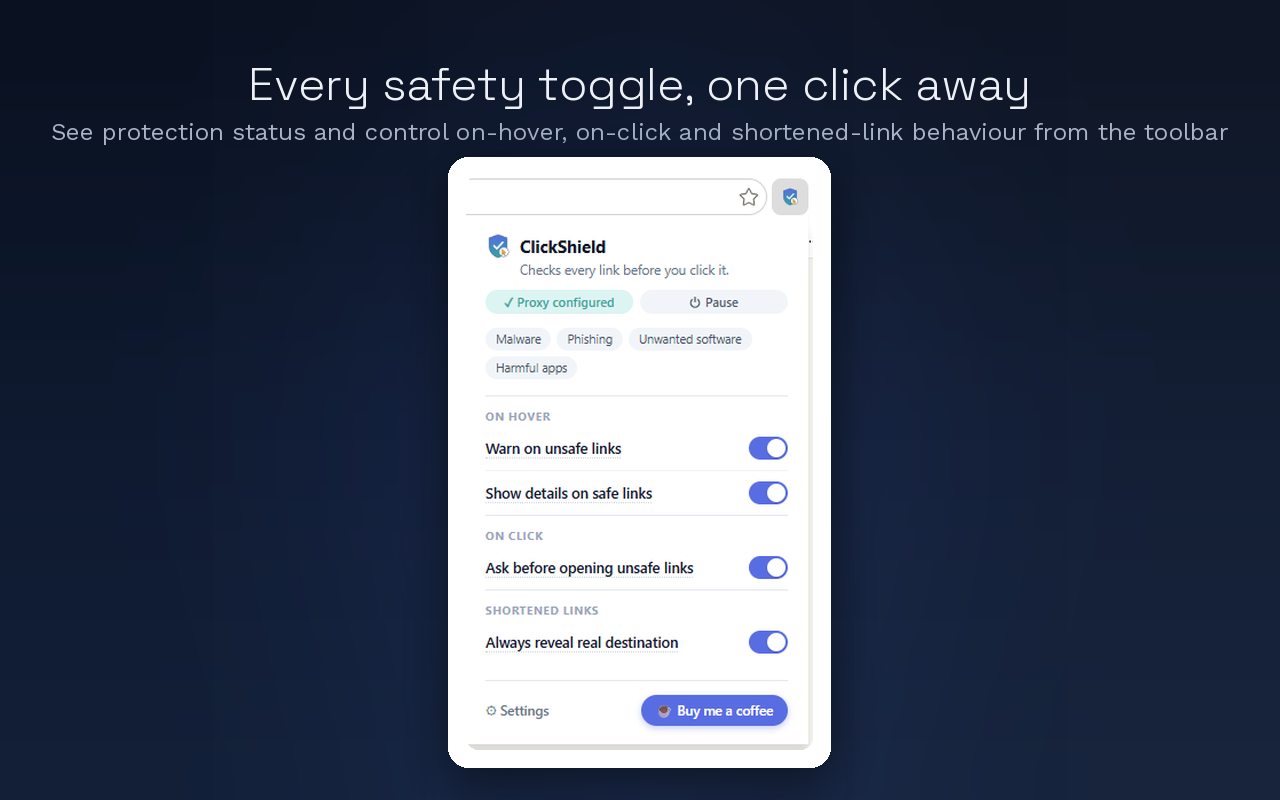
Full control, one switch
Toggle each tooltip independently, or hit Pause to switch everything off at once, no reinstalling needed.
See it in action
Real tooltips, real verdicts
Every screenshot below is the extension itself, not a mockup.
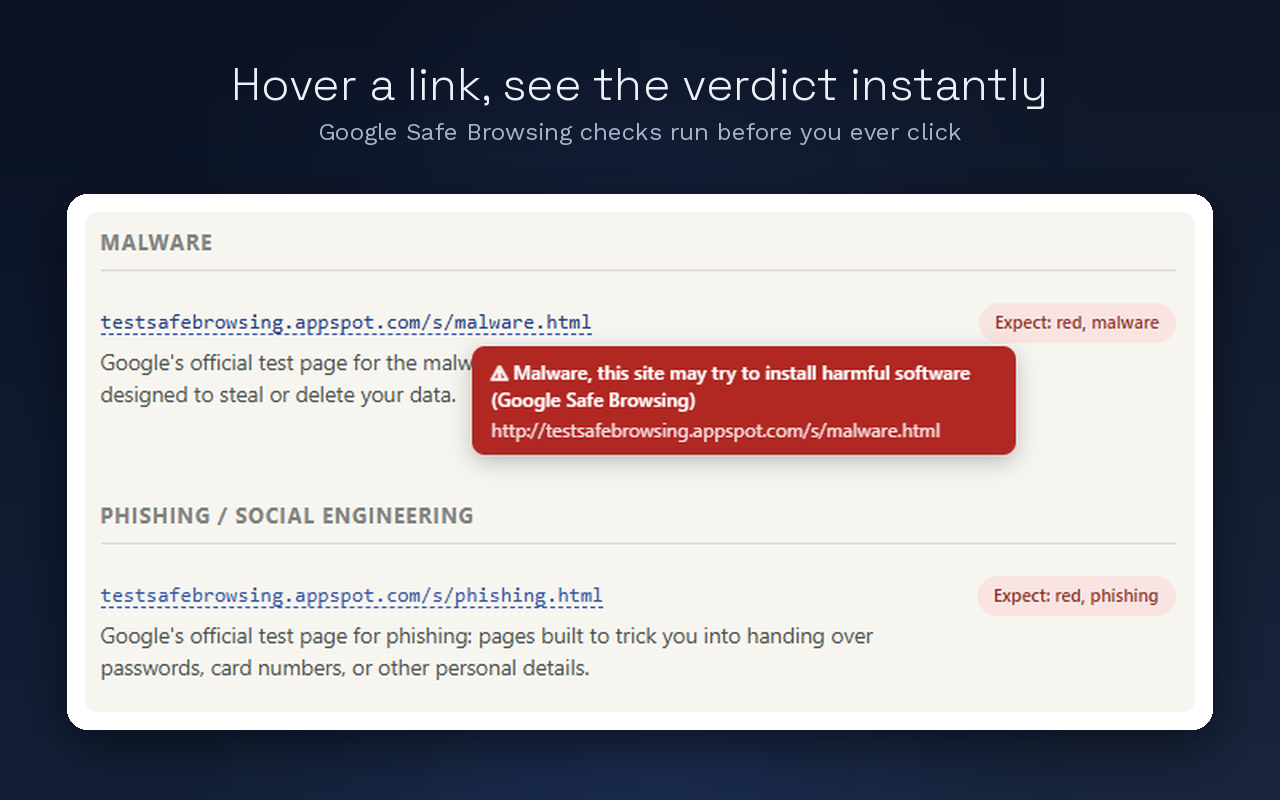
Hover a link, see the verdict instantly
A red tooltip appears the moment a hovered link matches a known threat, with the provider and threat type named directly, no need to click through to find out.
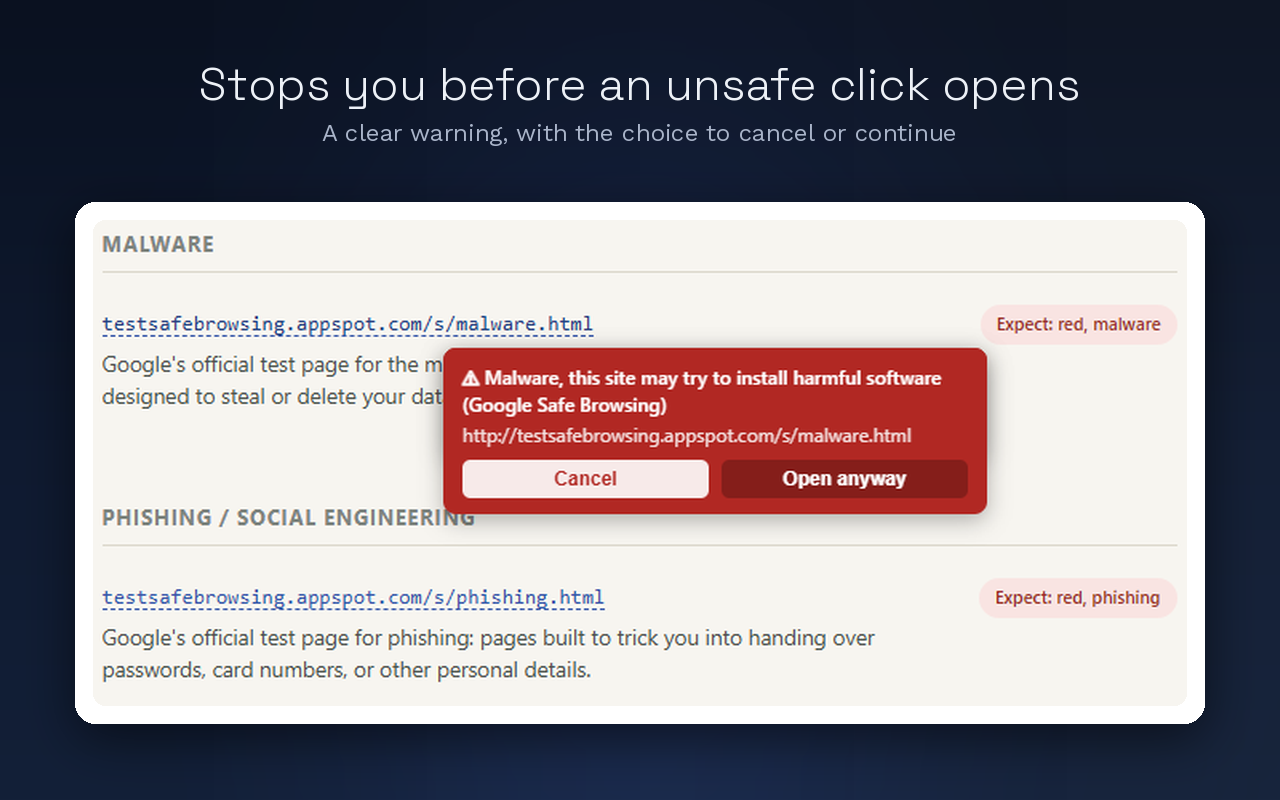
Stops you before an unsafe click opens
If a link was already flagged unsafe while you were hovering the page, clicking it shows a clear cancel-or-continue prompt first, instead of opening it straight away.
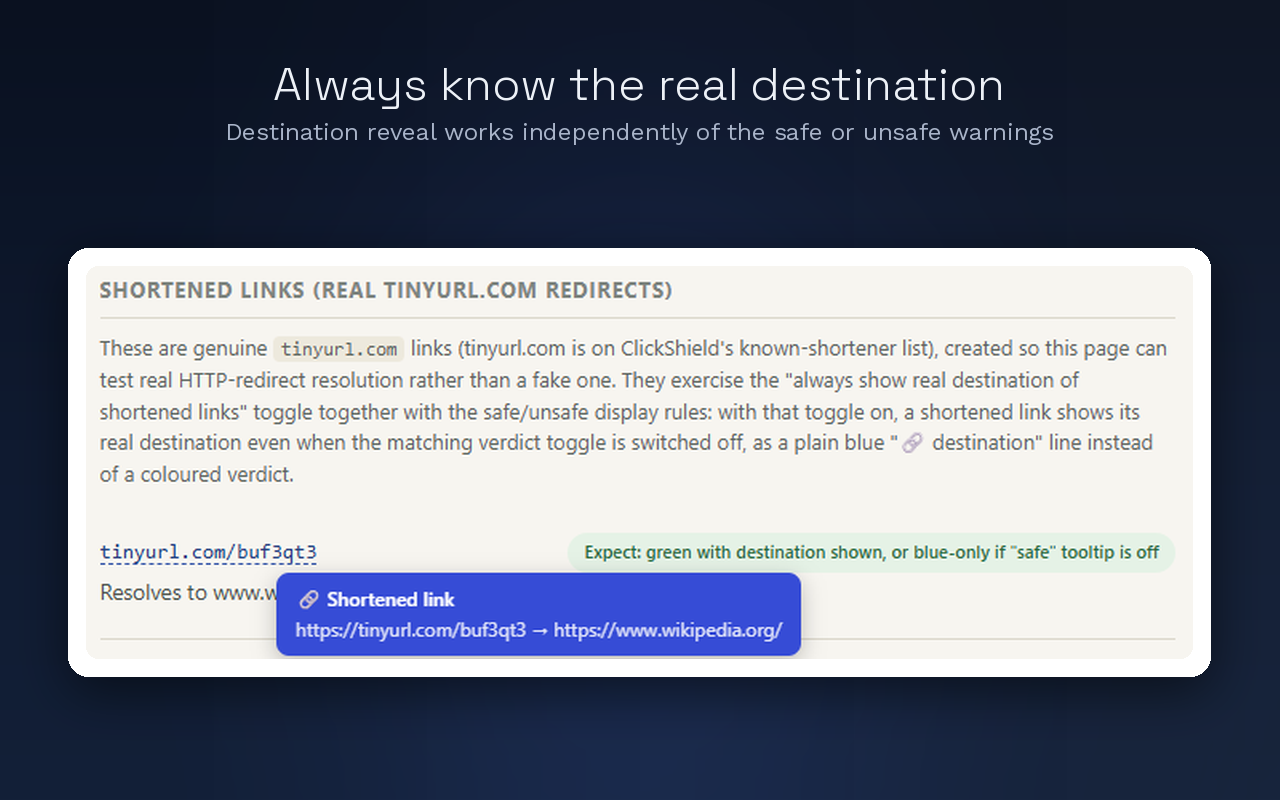
Always know the real destination
Shortened links are resolved to where they actually go, shown alongside the check, so a tidy bit.ly link never hides its real target.
Your browsing stays yours
Only the URL under review is ever sent, and only to Click Shield proxy. No history, no page content, no tracking, and nothing sold to anyone.
Get ClickShield
Works with the browser you already use
Same protection, same tooltips, on every major Chromium browser and Firefox.